
Implementing automated warehouse software and a Warehouse Management System (WMS) is a critical step in optimizing warehouse operations. A WMS provides a comprehensive range of functionalities to enhance efficiency and accuracy by focusing on several key areas:
- Process Automation
- Space Optimization
- Traceability and Transparency
- Integration with Other Systems
- Analysis and Reporting
Let’s explore these aspects to understand the significance of software that operates using WMS principles.

1. Process automation
Automated warehouse software streamlines key storage processes, significantly reducing the likelihood of human error. From receiving goods to shipping, every phase is meticulously monitored and managed, ensuring a seamless workflow and boosting overall productivity. The most effective WMS solutions also offer comprehensive oversight of both external and internal business processes, keeping all stakeholders—from suppliers to end customers—well-coordinated and informed.
2. Space optimization
An efficient WMS optimizes warehouse space utilization. Through advanced stock mapping and management features, items are organized to minimize picking times and enhance accessibility. This not only boosts operational efficiency but also lowers operational costs.
3. Traceability and transparency
Traceability is a cornerstone of modern warehouse management. Automated warehouse software provides complete visibility into inventory, from receipt to shipment. This transparency facilitates effective inventory management, reduces the risk of losses, and improves customer service by enabling quick and accurate responses to inquiries. This is especially crucial in the era of omnichannel sales and eCommerce.
4. Integration with other systems
A significant advantage of WMS software is its ability to integrate with other business systems, such as ERP (Enterprise Resource Planning) and TMS (Transportation Management System). This integration ensures coordinated management of all business operations, enhances communication between departments, and streamlines information sharing.
5. Analysis and reporting
The ability to generate detailed reports and perform advanced analyses is another strength of leading WMS and automated warehouse software. These tools facilitate the monitoring of warehouse performance, identification of areas for improvement, and data-driven decision-making. Analyzing trends and forecasting future needs is essential for maintaining a competitive edge in a complex and rapidly evolving global market, tailored to the specific needs of various sectors, from industry to retail and product distribution.
Why choose a WMS for warehouse management
Investing in a WMS provides numerous benefits, including automation, space optimization, traceability, integration, and advanced analytics. These advantages not only enhance operational efficiency but also contribute to more sustainable management practices and superior customer service. In today’s competitive market, equipping your operations with a WMS and automated warehouse software is a strategically valuable decision.
ICON: The web-based software for ICAM automated warehouses
ICON is the management software designed for ICAM’s automated warehouses, aimed at optimizing every aspect of storage and material handling. Developed entirely by ICAM, ICON allows for the management and control of all internal logistics processes via a web-based interface, eliminating the need for PC installations and enabling access through any web browser.
Key Features of ICON:
- Intelligent: Optimizes warehouse storage allocations.
- Accurate: Monitors stock levels and generates data and analysis reports.
- Fast: Provides quick and precise response times.
- Versatile: Multilingual, compatible with multiple machines and devices.
- Expandable: Offers extensive integration options with popular WMS and ERP systems.
- Reliable: Features robust architecture and straightforward authorization configuration.
- User-Friendly: Utilizes intuitive graphical interfaces.
Thanks to these features, ICON serves as the core software for ICAM’s automated storage systems.
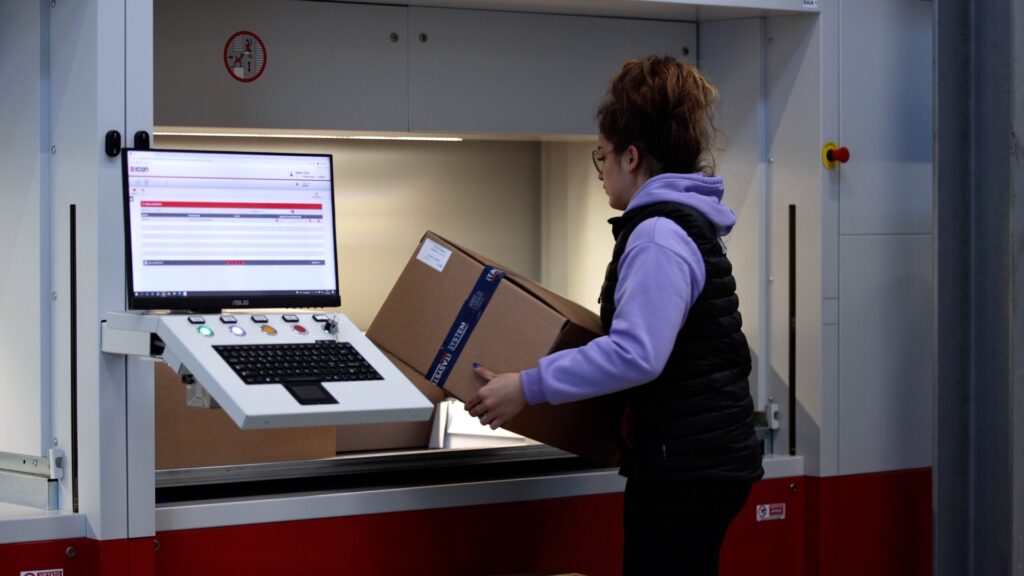
Features of the ICON Software
A standout feature of ICON is its web-based console. This means ICON does not require installation on a PC but can be accessed directly via a web browser, allowing seamless integration with the company’s management system. It can be utilized by warehouse operators through fixed devices like PCs or mobile devices such as tablets.
Additionally, ICON supports various picking strategies, including batch picking, multi-order picking, and managing picking lists. The software’s simple graphical interface ensures all processes are well-managed, even for complex and high-volume movement lists.
Stock monitoring is another crucial function of ICON, providing detailed reports and real-time information on inventory movements to ensure everything remains under control.
The ICAM console: versatile and feature-rich
ICON is available in different packages, each tailored to meet diverse operational needs and adapt to the logistics requirements of any company, whether large or small. With its extensive features, ICON offers much more than just automated warehouse management.
Learn more about the available packages and the full range of ICON’s features.